
It’s 9:47pm. Someone lands on your website, and finds no automated customer service to help them. They type out a question, hit send, and wait. Nothing happens. No reply, no confirmation, not even a “hang tight.” Just a message sitting there, unanswered, while they slowly start assuming the worst, maybe you’re closed for good, maybe you just don’t care, maybe they should try the competitor whose website is open in the next tab anyway.
That customer didn’t leave because your product was wrong for them. They left because silence feels like rejection, even when it’s just a business owner who was asleep.
Here’s the thing though, most businesses that try to fix this end up with an auto-reply that doesn’t actually solve the problem. It just delays it. “Thanks for reaching out! We’ll get back to you soon.” That’s not a response, it’s a placeholder. The customer still doesn’t know when “soon” is, still hasn’t given you a way to follow up if they wander off, and honestly still feels a little ignored, just with better manners about it.
A responder that actually works needs to do three jobs at once: it needs to make the person feel heard right now, it needs to capture enough information that you can pick the conversation back up tomorrow, and it needs to set an expectation specific enough that nobody’s left guessing.
Let’s build one properly.

Start With What People Actually Ask Your Automated Customer Service System
Before touching any tool, pull up your last few weeks of messages, WhatsApp, Instagram DMs, contact form submissions, whatever comes in after hours. You’ll almost always find the same handful of questions repeating: is this in stock, what’s the price, do you take custom orders, can I book a slot. This matters because a good after-hours response isn’t one generic message, it’s a small handful of responses that actually match what people are asking, not just an acknowledgment that ignores the question entirely.
If you skip this step, you end up automating a reply that sounds polite but is actually useless, which is exactly the trap most default auto-responders fall into.
Make Your Automated Customer Service Reply Actually Answer Something
Instead of “we’ll respond soon,” the message should do real work. Something like: “Thanks for reaching out! Our team is offline right now, but here’s a quick answer: [insert answer if it’s a common question]. If this doesn’t cover it, drop your name and best number below and we’ll follow up first thing tomorrow.”
Notice what changed. It’s not just polite, it’s useful. Even if the automation can only answer half the question, that’s still more than silence, Implementing automated customer service buys you goodwill instead of losing it.
Capture the Lead, Don’t Just Log the Message
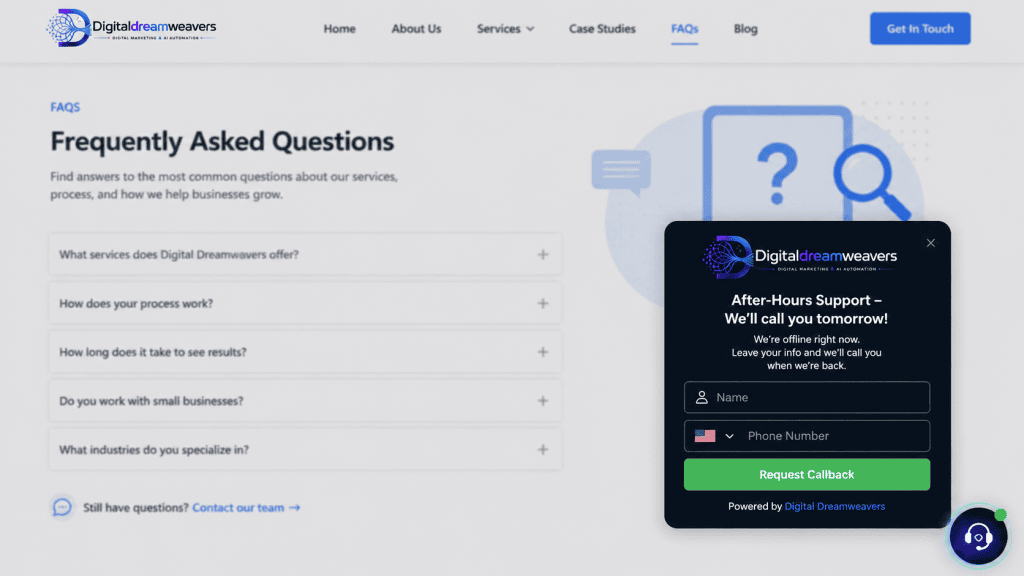
This is the step most businesses skip, and it’s the one that actually saves the sale. A message sitting in your inbox isn’t a lead, it’s just a message. You need a small, low-friction way to capture who they are so tomorrow’s follow-up feels personal instead of “hey, did you message us at some point?”
This doesn’t need to be complicated. On WhatsApp Business, this can be as simple as a quick-reply menu: “What are you looking for? 1) Pricing 2) Booking 3) Something else,” which routes them into a short flow that ends with capturing their name and number. On a website, a short form embedded right into the chat widget works, name, contact info, one line about what they need. Tools like WATI, ManyChat, or Tidio can handle this without needing custom development, and most connect straight into a CRM or spreadsheet so the lead doesn’t just vanish into a chat log nobody reopens.
The goal is simple: even if nobody replies until 10am, you should wake up to a small list of names and questions, not a wall of unread messages you have to sort through cold.
Set a Real Expectation, Not a Vague One
“We’ll get back to you soon” means nothing. “We reply to all messages by 10am” means something. Specificity is what turns an autoresponder from a brush-off into an actual promise. It also does you a favor, because now you have a deadline to hold yourself to, and customers stop refreshing their inbox every ten minutes wondering if you forgot them. By using an automated customer service approach, you set clear boundaries and build trust.
If your business genuinely can’t guarantee a fast turnaround, say that too, honestly. “We personally reply within one business day” is still better than silence with no timeframe at all. People are far more patient with a clear wait than an unclear one.
Let Urgency Jump the Queue
Not every message deserves the same response. Someone asking about your return policy can wait until morning. Someone whose order arrived broken, or who’s trying to book something happening tomorrow, probably can’t. A simple keyword-based routing rule, watching for words like “urgent,” “today,” “broken,” “refund,” can flag these messages for a slightly different response, one that sets a tighter timeframe or, if you’re comfortable with it, actually pings you directly for anything time-sensitive.
This one small rule is often the difference between a business that feels responsive and one that feels like it just fires the same message at everyone regardless of what they actually need.
Close the Loop the Next Morning
The workflow doesn’t end at midnight, it ends when someone follows up. And the follow-up should reference what they actually asked, not just “hi, checking in.” If someone asked about a custom order at 11pm, the morning message should pick up exactly there, “Hey! Saw you were asking about a custom order last night, happy to help, here’s how it usually works…” That small detail, referencing their actual question, is what separates a business that feels like it’s paying attention from one that’s just running through a script.
What This Actually Looks Like Day to Day
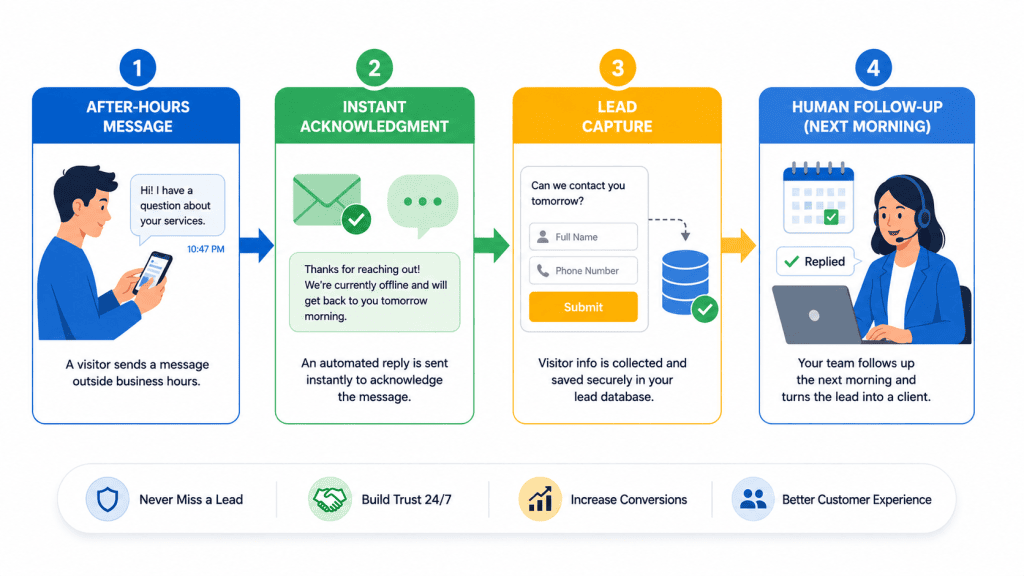
A small business running this well ends up with something like this: a customer messages at night, gets an answer or at least a real acknowledgment immediately, leaves their info if the question needs a human, and wakes up the business owner’s morning to a short, organized list of who reached out and why, instead of a scramble through fifteen unread chats trying to remember who asked what. Nobody stayed up late. Nobody lost a sale to silence. The business just stopped treating “closed for the night” as “closed to customers.”
The Real Point of All This
None of this is about pretending to be open 24/7. Customers generally understand that businesses sleep. What they don’t forgive as easily is feeling ignored, wondering if their message actually landed anywhere, or giving up because nothing in the reply told them what happens next. A well-built after-hours workflow isn’t trying to replace a real conversation, it’s just making sure nobody falls through the cracks between the moment they reach out and the moment a real person gets back to them.
Still feeling stuck with your after-hours setup? Get in touch with us here and let’s build a workflow that works for you