
Ever opened Google Ads, stared at the dashboard, and felt completely lost? If you’re looking for a straightforward guide to Google Ads for beginners, you’re in exactly the right place almost everyone’s first reaction is the same: too many settings, too much jargon, and a nagging fear that you’re about to burn money on nothing.
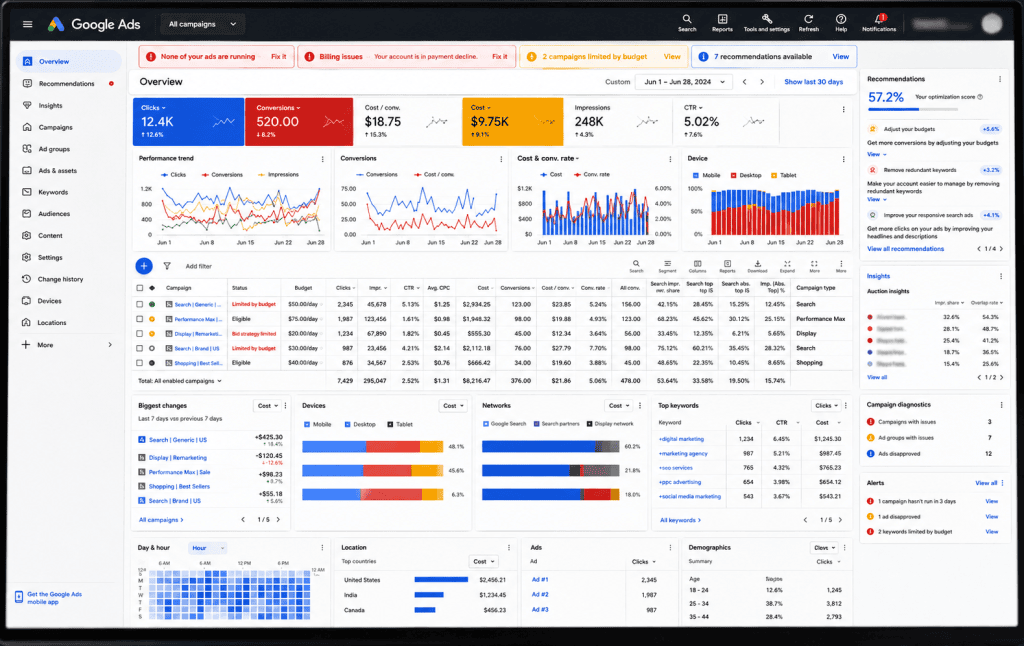
Here’s the good news: Google Ads isn’t as complicated as it looks. Once you understand the logic behind it, the dashboard stops feeling like a maze and starts feeling like a tool which is really the whole point of any solid Google Ads for beginners approach.
What Google Ads Is Actually Doing
Most beginners think Google Ads is about buying visibility. It’s really about timing. Your ad isn’t being shown to random people it’s being shown to someone who typed the exact words that mean they’re looking for what you offer, right now. That’s the entire advantage over almost every other form of advertising: intent already exists before your ad even appears.
That’s the first lesson in Google Ads for beginners: every setting on the platform exists to help Google match your ad to that moment of intent as precisely as possible. Once that clicks, the rest of the dashboard starts making a lot more sense.
Choosing the Right Campaign Type
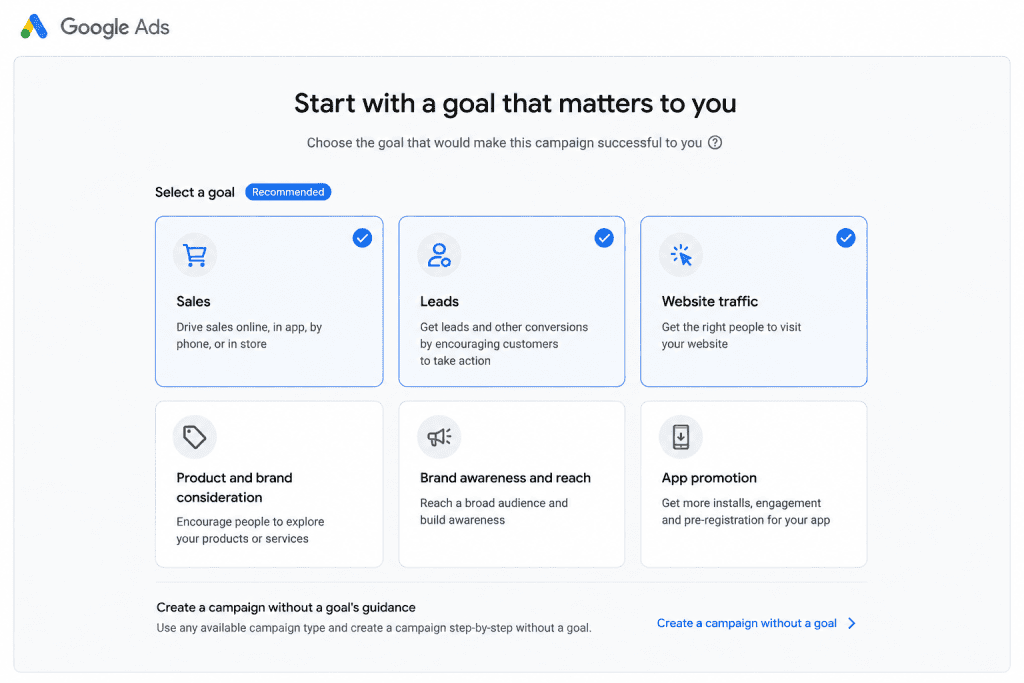
Before you write a single ad, you’ll be asked to pick a campaign type, and this decision matters more for Google Ads for beginners than almost anything else, because it shapes everything downstream. Search campaigns are the classic version text ads that appear when someone types a query into Google. They’re the best starting point because the intent is obvious and the setup is the most forgiving.
Display campaigns show visual banner ads across websites and apps in Google’s network. They’re built for awareness, not urgency good for staying in front of people, weak at capturing someone mid-decision. Shopping campaigns are made for anyone selling physical products; they pull in product images, prices, and store names directly from a product feed, so people see what they’re buying before they even click. Performance Max campaigns run across all of Google’s surfaces at once Search, Display, YouTube, Gmail automated by machine learning, but with far less manual control, which makes them tricky to diagnose when something’s off.
For a first campaign, Search is almost always the right call. It’s the format where cause and effect are easiest to see, which matters enormously when you’re still learning how the platform behaves.
Keywords: Think Like Your Customer, Not Your Business
This is where most beginners lose money without realizing it. You know your business in industry terms. Your customer doesn’t search that way.
If you sell handmade candles, you might be tempted to target “premium candle products.” But real buyers search for things like “buy soy candles online” or “best scented candles for gifting.” Spend time inside your customer’s head, not your own brochure. Tools like Google’s Keyword Planner help, but honestly, just asking “what would I type if I needed this today?” gets you 80% of the way there.
It also helps to separate keywords by intent. Someone searching “what is a soy candle” is browsing, not buying — that’s a poor use of ad spend early on. Someone searching “buy soy candles near me” is close to a decision. As a beginner, lean your budget toward the second kind of search. You can chase the curious browsers later once you understand what a paying customer’s search actually looks like.
Start With One Goal, Not Five
It’s tempting to set up a campaign that chases sales, leads, and brand awareness all at once. Resist that. Pick one goal for your first campaign sales, leads, or website traffic and build everything around it. A focused campaign is easier to read, easier to optimize, and far more likely to actually work.
Budget: Small and Smart Beats Big and Blind
You don’t need a big budget to start you need a consistent one. Set a small daily amount you’re genuinely comfortable losing while you learn, and let the campaign run long enough to gather real data. Google Ads rewards patience and information, not the size of your wallet. Most rookie mistakes come from panicking after two days and turning everything off before the algorithm has even learned who to show your ad to.
Why Quality Score Quietly Runs the Show
Here’s something most beginner guides skip: two businesses can bid the exact same amount and pay completely different prices per click. The difference is Quality Score Google’s rating of how relevant your keyword, ad, and landing page are to each other and to the person searching.
A higher Quality Score means Google trusts that your ad deserves to be shown, so it charges you less to show it and often ranks you higher than a competitor bidding more. This is why chasing relevance matters more than chasing bid amount. If your keyword is “buy soy candles online,” your ad copy should say something close to that, and the page someone lands on should be about buying soy candles — not your homepage, not your About page. Alignment between all three is quietly one of the biggest levers a beginner has.
Writing Ads People Actually Click
An ad is a tiny conversation, not a billboard. Speak to the person on the other side of the search bar. Ask the question they’re already asking themselves, hint at the solution, and give them one clear next step — “Shop Now,” “Get a Free Quote,” “Book a Call.” Ads that sound like a person talking almost always outperform ads that sound like a company shouting.
A Quick Walkthrough: Setting Up Your First Campaign
Imagine you run a small home bakery and want to sell custom birthday cakes online. Here’s roughly how the first campaign would come together. You’d choose a Search campaign, since someone Googling “custom birthday cake near me” already has clear intent. Your goal would be sales or leads, not brand awareness you want orders, not just eyeballs.
For keywords, you’d skip broad terms like “cakes” and go specific: “custom birthday cake order online,” “same day birthday cake delivery,” “designer birthday cake near me.” Each of these tells you something about how close the searcher is to actually ordering.
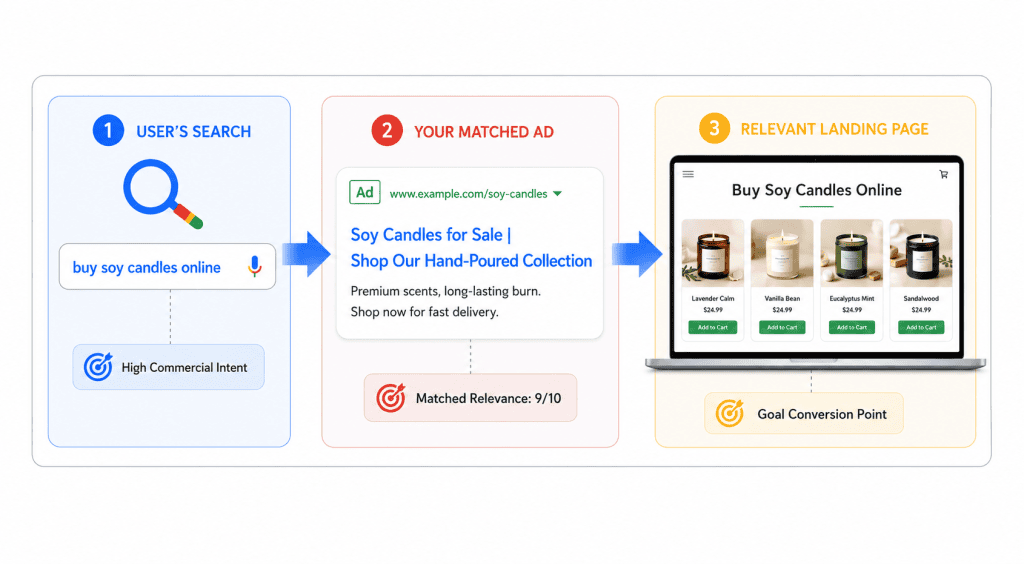
Your ad copy would speak directly to that moment: “Custom Birthday Cakes, Delivered Same Day. Order online in minutes.” No jargon, no vague brand language just a clear match to what was typed. And the page someone lands on after clicking wouldn’t be your bakery’s homepage with ten different products; it would be the birthday cake ordering page itself, so there’s no extra thinking required between click and order.
Finally, you’d set a modest daily budget, let it run for a week untouched, and only then start making decisions based on what actually happened not what you assumed would happen.
Mistakes That Quietly Drain Google Ads for Beginners’ Budgets
A few patterns show up again and again with people new to the platform. The first is targeting keywords that are too broad, which pulls in curious clickers instead of buyers and burns through budget on people who were never going to convert. The second is sending every click to a generic homepage instead of a page that matches the exact thing someone searched for this alone can quietly halve your conversion rate without you ever realizing why.
The third is checking results too often and reacting emotionally to short-term dips, which leads to shutting down campaigns before they’ve had enough data to actually perform. And the fourth is ignoring negative keywords the terms you tell Google not to show your ad for. Without them, a bakery selling custom cakes might end up paying for clicks from people searching “cake recipes” or “how to bake a cake at home,” neither of whom intends to buy anything.
None of these mistakes are signs you’re bad at this. They’re just the standard learning curve every beginner walks through the difference is knowing what to watch for early instead of learning it the expensive way.
Track, Test, Don’t Panic
Check your results weekly, not hourly. Pause what isn’t working, put more budget behind what is, and resist the urge to rewrite everything after one slow day. Google Ads is a feedback loop every week teaches you something that makes the next one better.
Frequently Asked Questions About Google Ads for Beginners
How much money do I actually need to start? There’s no fixed number what matters more is consistency. A small daily budget run steadily for a couple of weeks teaches you more than a large budget spent in two days.
How long before I see results? Most campaigns need at least one to two weeks of steady running before the data is reliable enough to make real decisions from.
Do I need a fancy landing page? No, but it needs to match what your ad promised. A simple page that delivers exactly what the searcher was looking for beats a beautiful page that makes them hunt for it.
Can I run Google Ads without much technical knowledge? Yes, for a basic Search campaign the interface is built to be usable by beginners. The skill isn’t technical mastery; it’s patience, relevance, and reading your own results honestly.
The Real Takeaway
That’s the whole philosophy behind Google Ads for beginners: the platform doesn’t punish you for being new, it punishes impatience. Start small, test consistently, and let the data guide your decisions instead of your instincts. Every campaign you run even the ones that flop makes you sharper for the next one.
And if you’d rather skip the trial-and-error phase entirely, that’s usually where working with someone who runs these campaigns daily makes the biggest difference.